Measure with Display unit
The Digital Precision Level XT290 can be wirelessly connected to your Easy-Laser® XT alignment app and you can read the XT290 values in the "Values" program. Go to Connect
In the XT app you can read 1, 2, 3 or 4 devices simultaneously. Go to Connect
NOTE! When XT290 is connected to the XT app, the settings for "Unit", "Resolution" and "Filter" can only
be made in the XT app. When connected to the XT app, these display menus are disabled in XT290 and "Factory reset" is completely disabled.
NOTE! When settings are changed in the XT app during connection, the app settings apply to the XT290. When disconnected, the XT290 settings return to the settings made before the connection.
- Clean the surface where the XT290 will be placed.
- Place the XT290 on the object to be measured and press
 to start.
 - Read measuring value when it has stabilized.
If XT290 has the right working temperature the values can usually be used immediately but Level Calibration
on site is recommended. Go to Overview XT290 - Connect the XT290 to "Values" program. Go to Connect
- Tap
 to register values in "Values" program. Go to Measure
 - View Report in "Values" program. Go to Report
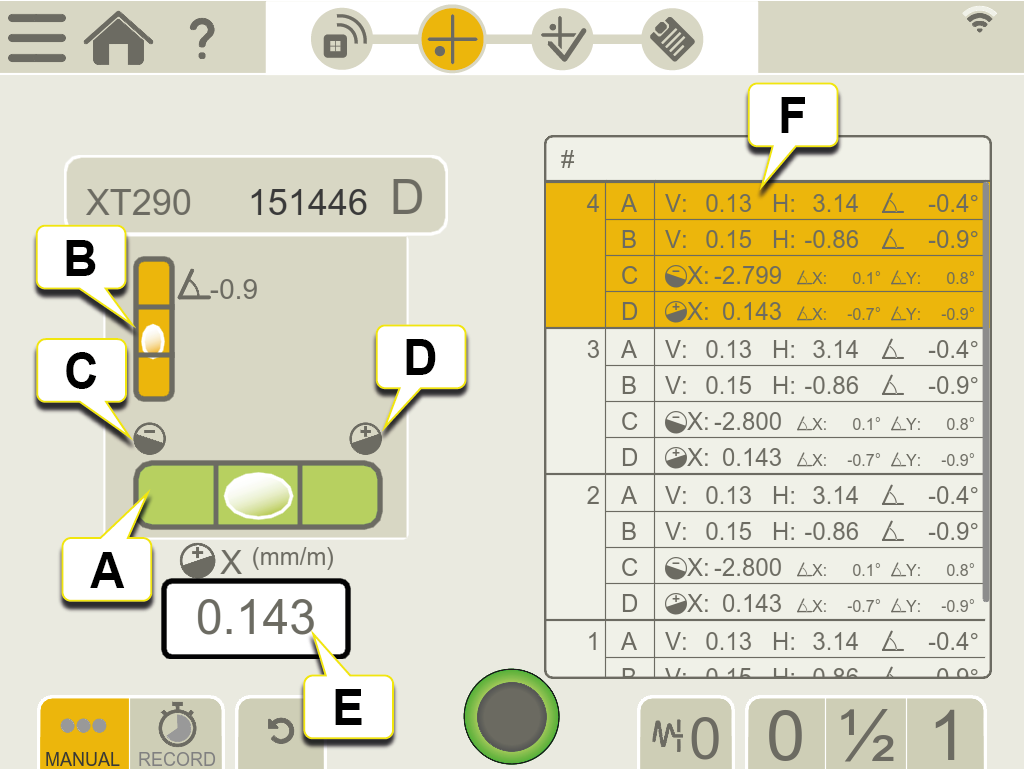
- Precision level shows X (pitch) direction. Value is presented in mm/m (mils/inch).
- Inclinometer shows Y (roll) direction. Value is presented in degrees.
-
 Bubble towards this icon indicates negative measurement value and that the surface has a downward slope to the right.*
 -
 Bubble towards this icon indicates positive measurement value and that the surface has a downward slope to the left.*
 - Latest reading.
- Registered values (precision level X/pitch value, inclinometer X/pitch value, inclinometer Y/roll value).
- Delete value.
- It is possible to add a note to a registered value.
* when viewing XT290 from yellow label side.
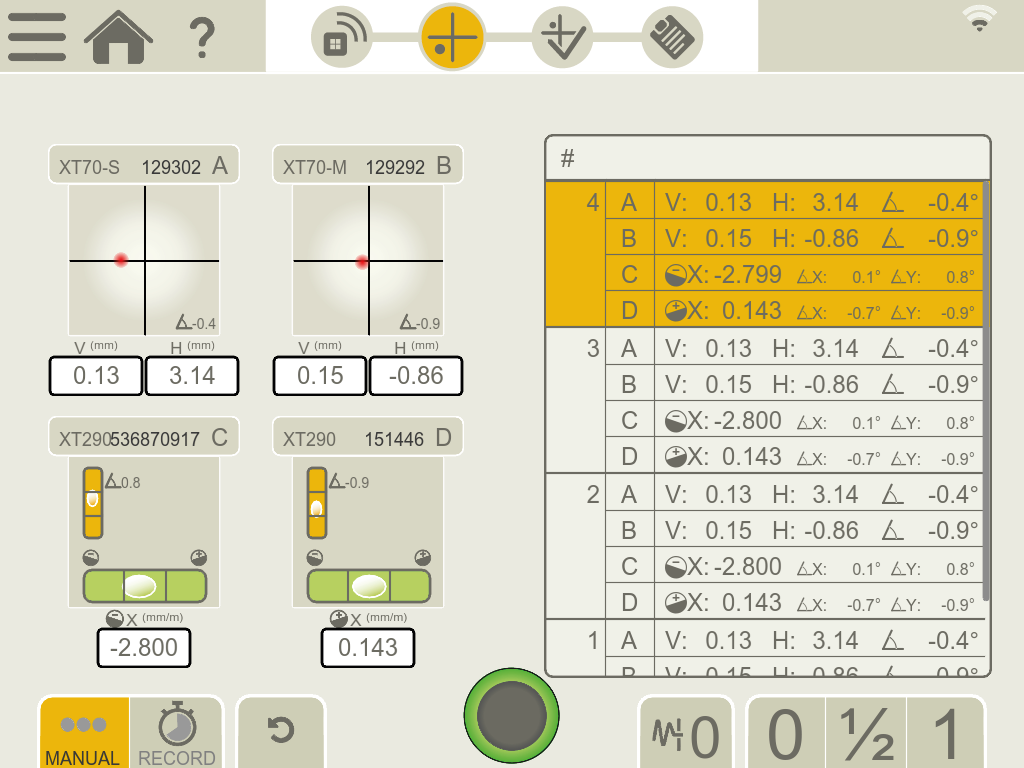
Read up to four devices simultaneously
In the "Values" program in the XT alignment app you can read up to four XT290 simultaneously.
Normally you have practical use of one or two XT290 but they can be combined with other types of measuring units.
Go to Connect
Warnings during measurement
The following Warnings may appear in the "Values" angular visual representation.
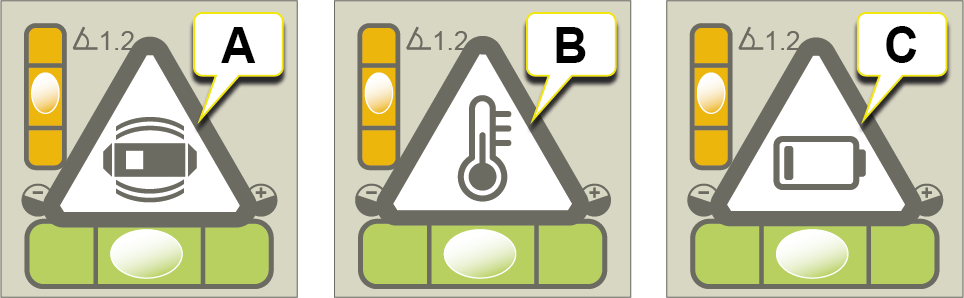
- Shake warning. Disappears when shaking stops.
If vibrations are strong enough to make the shake warning appear during measurement, increase the filter level. - Temperature warning. Press
 to clear. Press again for temperature info in XT290 Settings menu.
 - Low battery warning. Charge the XT290. Go to Overview XT290.